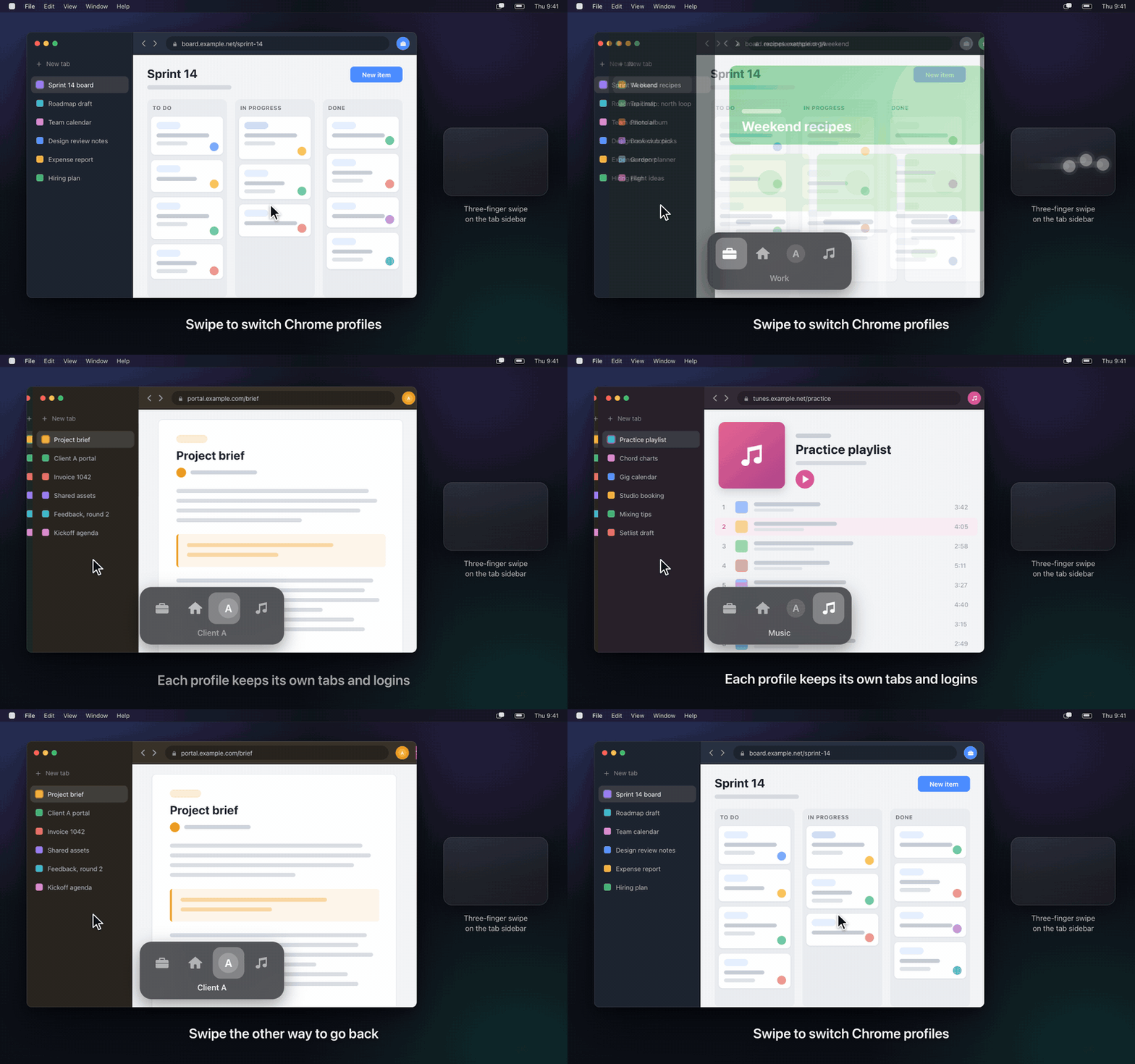
Swipe on the sidebar
Two or three fingers, your choice. The window lands in the same place, so nothing jumps around. Swiping over the page still does Chrome’s back and forward.
A menu bar app for Google Chrome on Mac
Swipe on Chrome’s vertical tab sidebar to switch between your Chrome profiles, much like switching Spaces in Arc. The next profile’s window comes forward, right where the last one was.
Free for five days. No account, no sign-up. macOS 14 or later.
Arc is being discontinued on December 22, 2026. If you’re moving to Chrome, Interchange brings back the two things Arc users will probably miss most: swiping between spaces and Air Traffic Control-style link routing.
Two or three fingers, your choice. The window lands in the same place, so nothing jumps around. Swiping over the page still does Chrome’s back and forward.
Rest the pointer on the sidebar and a bar of profile icons appears beside it. Click one to jump there, or drag along the bar to change the order.
Give a profile its own icon and name, or use its Google account photo. Hide the ones you never switch to; they stay out of the way.
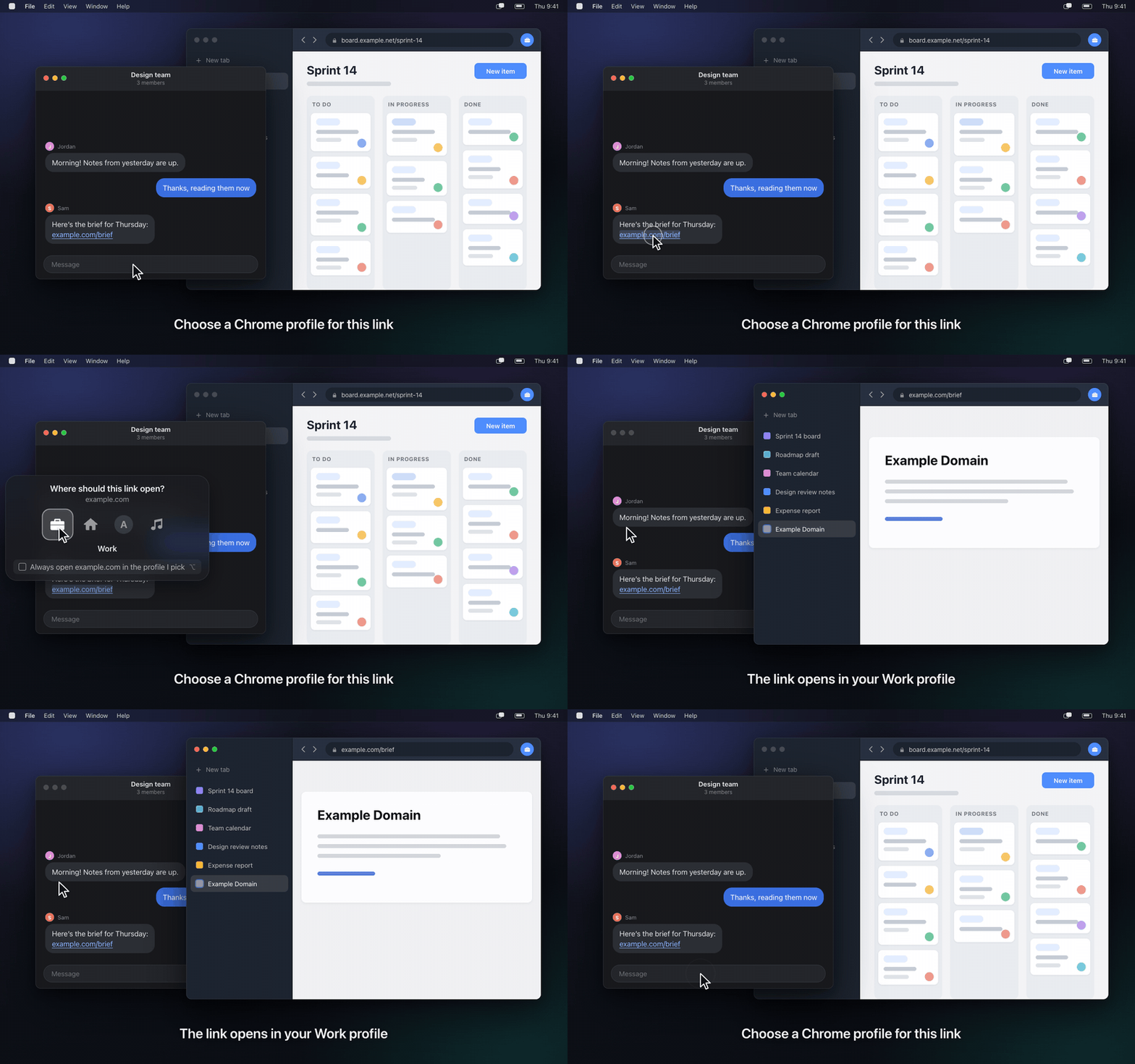
Link Routing
Make Interchange your default browser and it hands each link to Chrome in the profile you choose, much like Air Traffic Control in Arc. Set rules for the sites you know; for the rest, it asks.
Everything works during the trial, with no account and no card. If you keep it, one payment unlocks it for good.
I’m an independent developer.
I built Interchange for myself, and I’m selling it for about the price of a coffee. Pay what you want, starting at $2. On a $3 purchase with a U.S. card, about 50¢ goes to payment fees before I see a cent, and any sales tax where you live comes out of the same $3. If it saves you time, paying a little extra really does help me keep it going.
For Apple silicon Macs, macOS 14 or later. Tested on macOS 27. Version 1.0.0.
No. Only the regular Google Chrome, with vertical tabs turned on.
Yes. Interchange only listens when the pointer is on the tab sidebar. With two fingers a swipe has to be clearly sideways, so scrolling your tab list never switches profiles.
Swiping, the icon bar and Link Routing stop, and links go straight to Chrome. Nothing breaks, and buying turns it all back on.
Choose Restore Purchase in the menu and enter the email you paid with. Open the link it sends on that Mac.
The five-day trial is there so you can decide first. Sales are final.